Who it is for
Lazy Note is made for people who take a lot of notes, all over the place, and who want notes that are pleasant to read back and well organised. People use it for a shopping list, the ideas for a project, reading notes or planning a trip.
What it does
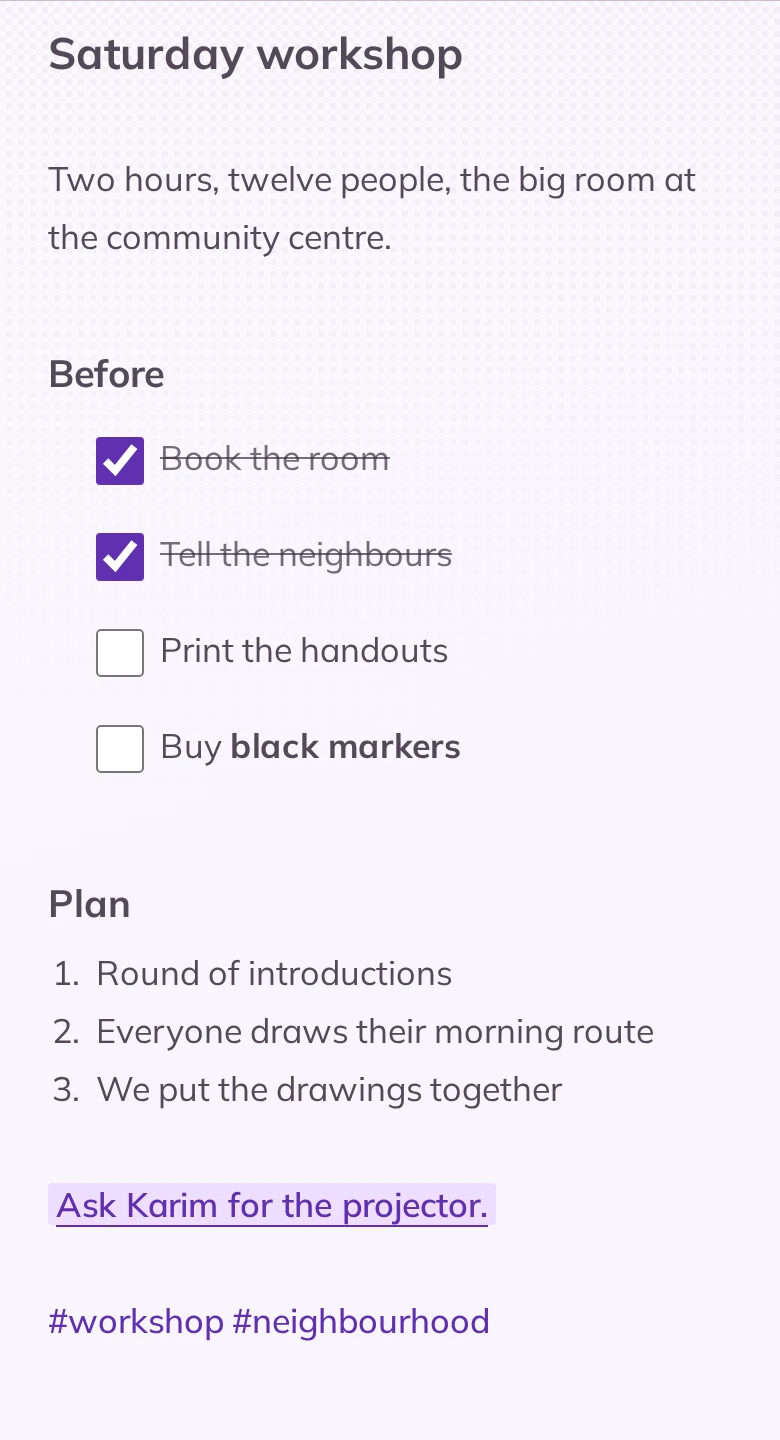
- Notes that are pleasant to read. Headings, lists, checkboxes, bold and highlighting appear as you type, and a photo fits between two lines of text.
- Easy formatting. A toolbar adds headings, lists and checkboxes, with no need to know markdown. A second view shows the markdown as it is written, for those who prefer typing the symbols.
- Folders and tags. One level of folders, each with its own colour and little drawing, and hashtags written in the text. Tapping a tag shows every note that carries it.
- Notes that are easy to find. The search reads the whole text of all your notes, not only the titles, and takes you to the line where the word is.
- Markdown import and export. Export gives one .md file per note, sorted by folder, images included. Import takes a markdown or text file from another app.
- Fully offline.
What it does not do
- No syncing between devices. Notes live on the phone, and nowhere else.
- No online backup. To keep your notes safe or move them to another phone, the app exports a full backup.
- No nested folders. One level, completed by tags.
- No collaboration. It is a personal tool.
- No iPhone version. Android only.
- No advertising, ever.
What it looks like
-
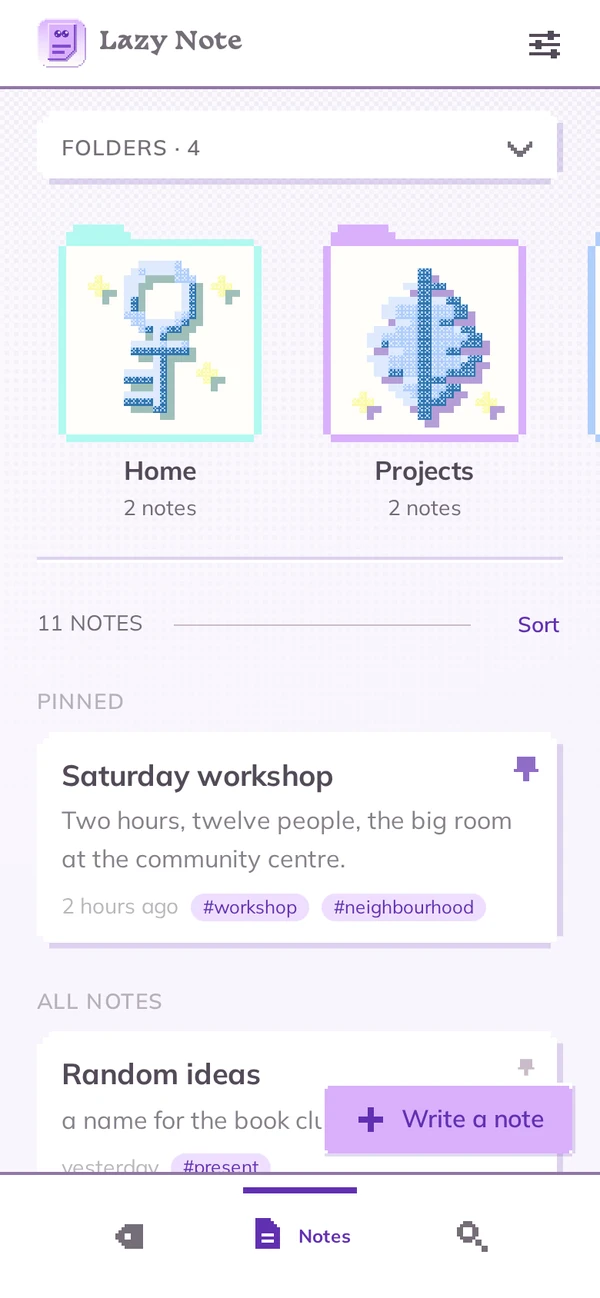
Your notes and folders -
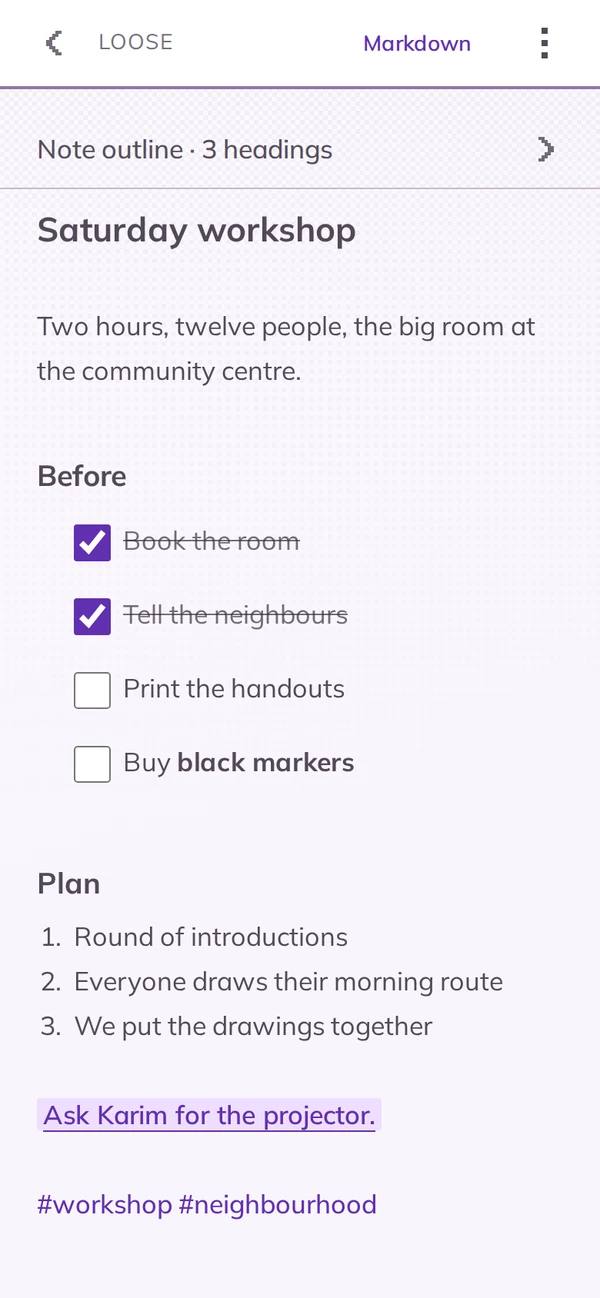
A formatted note -
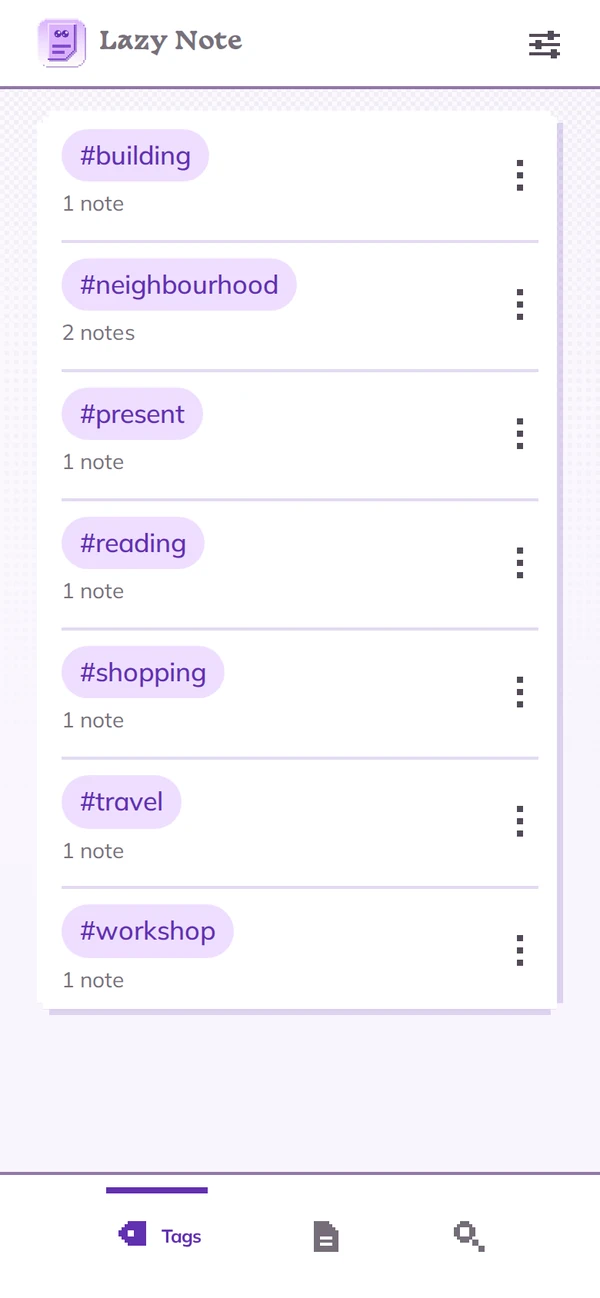
Your tags -
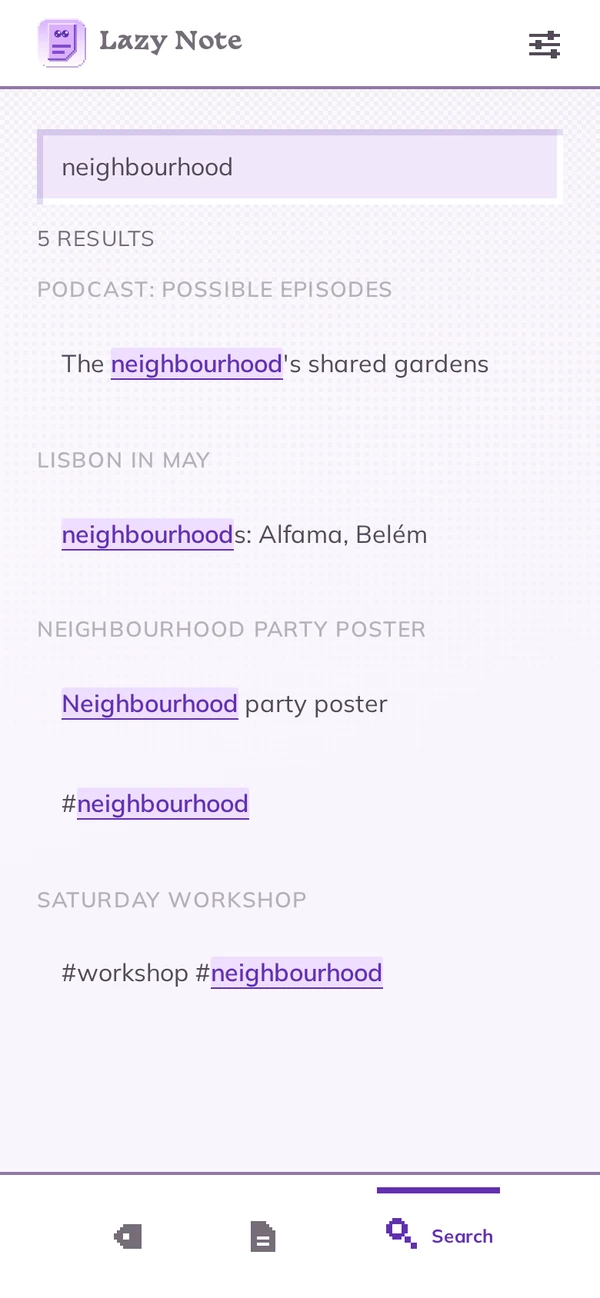
Search all your notes -
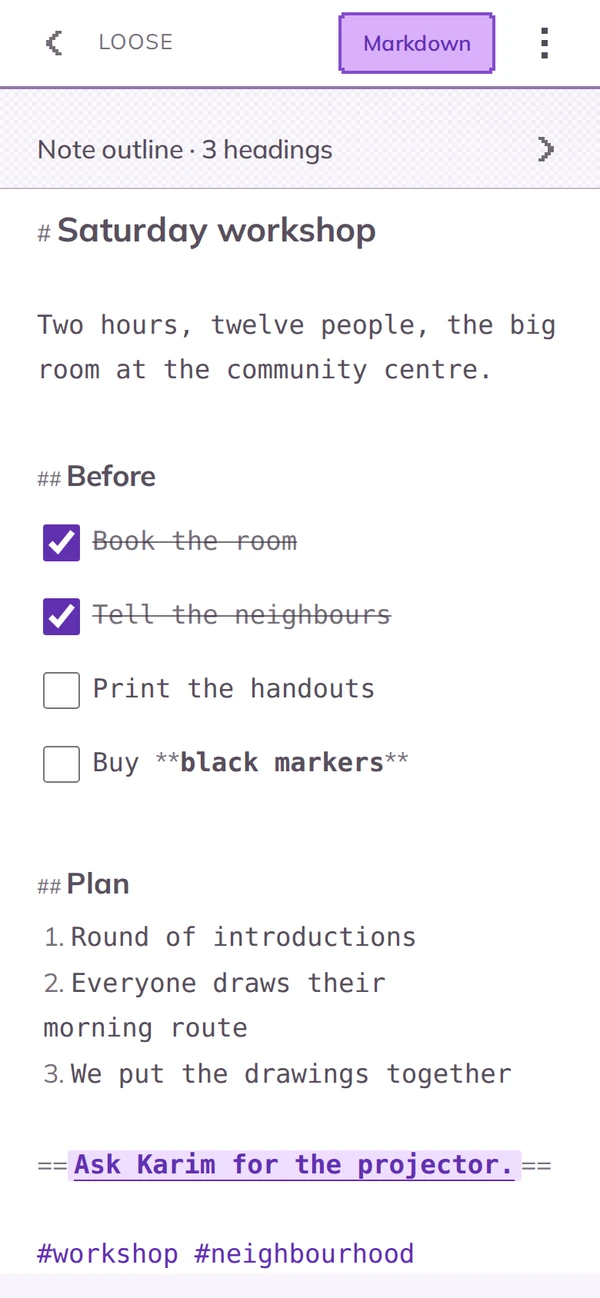
Markdown, when you want to see it
What it knows about you
Nothing. There is no account, no server, no artificial intelligence, no tracker, no advertising. Your notes are stored on the phone and only leave it if you export them yourself: the studio cannot know what you write in them, or even whether you use the app. Only Google Play knows that the app was installed, as with any app from the store. The details are in the privacy policy, which is in French for now.
Frequently asked questions
Do I need to know markdown to use it?
No. You write normally, and the toolbar adds headings, lists and checkboxes. Markdown only shows in the second view, if you want to use it.
How do I organise my notes?
In folders, on a single level, and with tags: a word with a hash in front of it, written in the note. A note can carry several tags.
Can I search for a word in all my notes?
Yes. The search reads the whole text of your notes, not only the titles, and takes you to the line where the word is.
Do I have to create an account?
No. There is no account in Lazy Note, and there never will be.
Can I bring my notes over from another app?
Yes, if it exports markdown or text. Each imported file becomes a note.
Do my notes sync with my computer?
No. To pick a note up elsewhere, export it as a markdown file.
Is there an iPhone version?
No, Lazy Note only exists on Android.
The studio's other apps
Lazy Note is one of the Lazy Mind apps. Each has its own subject, and all of them work with no account and no tracking. See also Lazy Map and Lazy Cards, or all the Lazy Mind apps.